

Does your school have an AI policy yet? Download the editable Word Document AI School Policy template I have written and adapt it to your school’s own needs.

My free download medium term plan, written for TeachPrimary, to introduce AI over 6 weeks of lessons. Includes 9 PDF downloads.

The AI Giants
If you have not tried the big 3 AI platforms from Microsoft, Google and OpenAI, I suggest you try these before moving on to other platforms.
Microsoft Copilot copilot.microsoft.com
Google Gemini gemini.google.com/app
OpenAI openai.com

A super tool which allows you to create AI-generated video clips based on a text prompt. You can upload still images and write a prompt to animate it. Rendering in the free version takes about a minute, then you can download your clip and share.
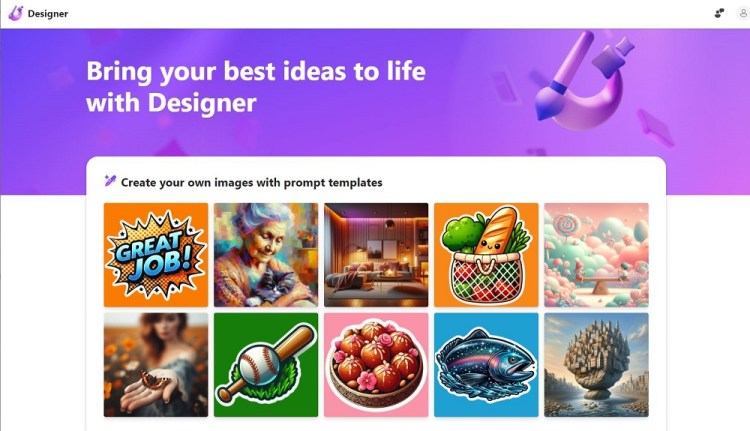
Microsoft Designer uses the latest advances in AI to generate images, design posters and badges, and edit photos based on your text prompts. An essential tool for any classroom.

An interesting AI platform which allows you to chat to different ‘characters’. But even more useful, you can create your own. Check out the EdTech Expert AI agent that I created (It isn’t as good as the real thing!). Create your own as a AI helper for homework, a historical character your learners are studying, or ask your learners to create a AI agent based on a character from their own writing.

Impressive browser extension and apps for iOS and Android which brings the power of multiple AI models to your fingertips. Use the keyboard shortcut or browser icon to start the AI chat, then you can interact with content on any webpage or document that you are browsing. Ask for summaries, or specific questions about the content, generate images (infographics anyone?) and even explore the code on the page. Basic account is free and all most teachers and learners should need, with daily credits reset to help you everyday.

A great AI platform that does lots of the admin for meetings for you. Record the audio from a meeting and the AI will create a transcript, make a summary with action points. You can also link your Google calendar and get prep notes ahead of a meeting automatically. Connect your Gmail account to get all of this sent to you when you need it.

A great AI platform that does lots of the admin for meetings for you. Record the audio from a meeting and the AI will create a transcript, make a summary with action points. You can also link your Google calendar and get prep notes ahead of a meeting automatically. Connect your Gmail account to get all of this sent to you when you need it.
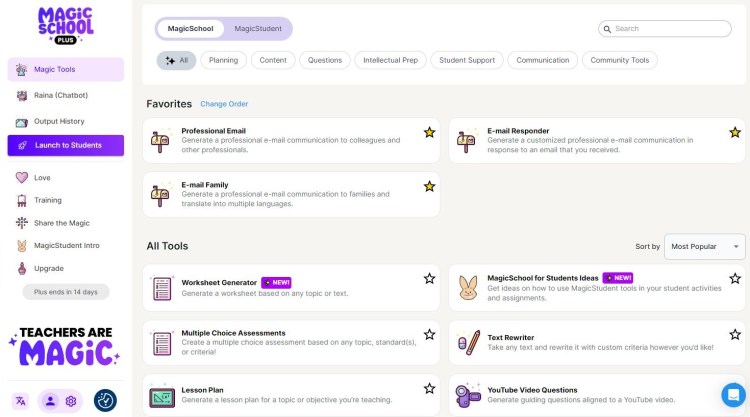
A really useful site which uses AI to produce lots of things that teachers need with just a little information in prompts: lesson plans, emails, report writing, proofreading, translation, text summarising, teacher jokes (it’s about time!) and so much more. There is also a ‘student’ section with tools aimed at learners. While skilled AI practitioners can get the similar responses from other a generalised AI platform with carefully worded prompts, it is nice to have this all in one place and to see what is possible with AI. The basic account is ‘always free’ with plans available for the latest tools and for rolling out across a whole institution. Supports many languages.
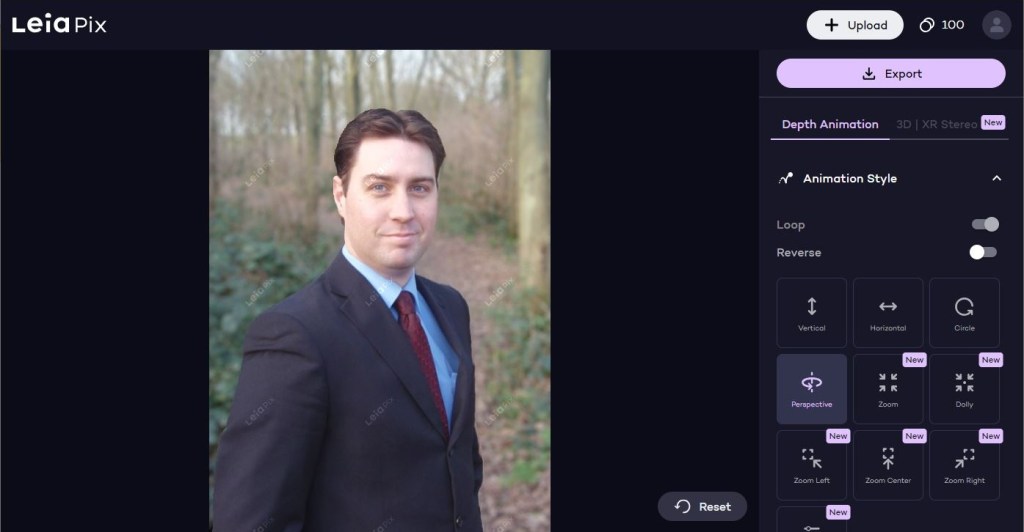
A site which uses AI to create zooming animated videos from a still image. The site recognises objects or people in the foreground and gives you options of how you wish the object to move in relation to the background. New accounts get free credits to use, and there are paid plans for those needing more.

An impressive set of AI tools. Explorer creates what looks like media rich Wikipedia pages, Index offers answers to questions and can ask you questions to test your knowledge, Present shows images an a transcript for what is being said in real-time.
| https://podcastle.ai | Create Podcasts using AI tools. Record speakers and then use AI to produce your perfect podcast. |
| https://www.eduaide.ai | AI platform that helps educators create lesson plans, teaching resources, and assessments. |
| https://chat.reka.ai/chat | An AI platform set up for business users. It allows you to generate documents easily, including PDFs, so his you have a policy or report to write, this will be an interesting tool to use. |
| https://huggingface.co/spaces | HuggingFace is the website where AI developers come to play. There is a huge amount on this site for those interested in developing their own AI tools, but the ‘Spaces’ section has a fab collection of AI experiments that others have created and shared. |
| https://rendernet.ai | Most AI image platforms generate a new ‘person’ for every click. But if you want to create a consistence character in each of your generated images, for example if you are creating a story book, you need a tool like RenderNet. Once you are happy with your person or character you can generate them in different places doing different things. |
| https://viggle.ai | Using AI to replace one person in a video with another, you can create videos of anyone doing anything. (What could possibly go wrong?) Use a template video of the actions you want your character to follow, then upload the character you want to use as the replacement. I have used this in eSafety lessons to show just what is possible and why we all need to be on guard for deepfakes. |
| https://agentgpt.reworkd.ai | Create your own AI agent with its own focus. So you can create characters, or even a replacement you to answer questions. |
| https://otter.ai | Automate your meetings with AI. Get transcripts and notes. I nice feather is that participants can ask questions to the AI about the meeting as it is happening. |
| https://www.synthesia.io | One of the market leaders in AI video presentations, this tool allows you to create a realist presentation with a ‘human’ speaker of your choice by simply providing the text. |
| https://www.questionwell.org | It’s not the answer that wins the day, but the right question. This AI site will create endless questions on the topics you give it to use in class, and it integrates with platforms like Kahoot Quizizz Quizlet, Gimkit and many more. |
| https://www.craiyon.com | An intuitive AI image generator with lots of options, so you don’t have to be really precise with your text prompts to get the result you want. |
| https://globe.engineer | A great AI site which curates visual learning graphics based on the topics you search for, making learning easier. Head to the ‘explorer’ section to discover something new about a topic you are trying to get your head around. |

 ICTmagic